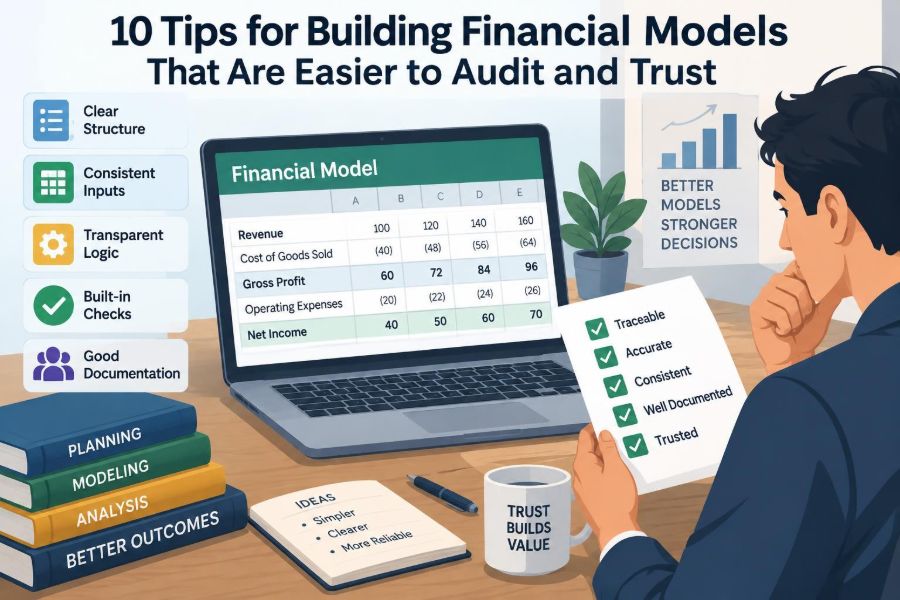

It is late in the review cycle, and a senior manager asks a deceptively simple question: “Where did this margin assumption come from?” The analyst who built the workbook knows the answer, but it is buried in a row on another sheet, inside a formula that also references last month’s forecast.
That is the moment when a financial model stops being a spreadsheet and becomes a trust problem. A workbook may produce the right answer today and still be difficult to review, update, hand over, or rely on for a consequential decision.
Auditability is not about making every model large, formal, or unpleasantly rigid. It is about making its logic visible enough that another capable person can trace key outputs back to defined inputs, understand the calculations, and identify where judgment was applied.
The following ten tips are practical design habits for forecasts, budgets, valuations, operating plans, and other financial models. They help make a model easier to inspect without sacrificing the speed that real business work often requires.
🧭 1. Start with the model’s decision
Before creating tabs or writing formulas, state the decision the model is intended to support. A monthly cash forecast, a three-statement operating plan, and an acquisition valuation can all use similar building blocks, but they need different levels of detail, control, and documentation.
A short purpose statement creates useful boundaries. For example: “Estimate quarterly liquidity under base, downside, and delayed-collections scenarios through the next fiscal year.” That tells reviewers what the model should answer and what it should not pretend to answer.
When scope is unclear, models often accumulate unrelated schedules and assumptions. The result looks comprehensive but is harder to test because no one knows which outputs are decision-critical.
🎯 Define the questions and outputs first
List the outputs that decision-makers will actually use before building the calculation engine. These might include ending cash, EBITDA, debt covenant headroom, unit economics, enterprise value, or a funding requirement.
Then ask what must drive each output. Ending cash, for instance, needs operating cash flows, financing activity, timing assumptions, and opening cash. This backward design reduces decorative calculations that do not affect a decision.
- Identify the primary output and the time horizon.
- Specify the units: dollars, thousands, units sold, full-time employees, or percentages.
- Identify the audience and expected review depth.
- Record material exclusions, such as taxes, foreign exchange, or acquisition effects.
A clear output map also makes testing more focused: reviewers can trace what matters instead of checking every populated cell with equal intensity.
🗺️ 2. Design a predictable workbook map
A reviewer should be able to open the file and orient themselves quickly. Use a consistent sheet order, such as cover and instructions, inputs, operating schedules, financial statements, scenarios, checks, and outputs.
The precise arrangement can vary. What matters is that the workbook has a visible flow from assumptions to calculations to outputs, rather than sending users through a maze of similarly named tabs.
Give sheets names that describe their role. “Revenue Build,” “Working Capital,” and “Debt Schedule” are more helpful than “Calc 2,” “Final,” or “New Model.” Avoid names that promise finality; a file called “final_final_v7” signals that version control has already failed.
🏷️ Make navigation self-explanatory
A compact cover sheet can do a surprising amount of control work. Include the model purpose, owner, reporting date, version date, major scenarios, source systems, and a short guide to color conventions or input cells.
For longer workbooks, include a contents area that identifies the key tabs and their purpose. A reviewer should not need a guided tour to discover where revenue assumptions or debt terms reside.
Freeze panes where labels would otherwise disappear, and keep period headings consistent across sheets. These are small usability choices, but they prevent review errors caused by simple disorientation.
🧱 3. Separate inputs, calculations, and outputs
One of the strongest spreadsheet design habits is separating what a user enters from what the model calculates. Inputs are assumptions or imported facts. Calculations transform those inputs. Outputs summarize the resulting information.
Mixing all three in a single dense grid makes formulas difficult to inspect and makes accidental overwriting more likely. It also obscures a basic review question: is a value a judgment, a source fact, or a model result?
Separation does not require a separate tab for every category. A small model can use clearly labeled sections on one sheet. The key is that a reader can distinguish the roles at a glance.
🔒 Protect calculated cells thoughtfully
Locking formula cells and leaving designated input cells editable can prevent routine damage. Protection is not a substitute for review, and it can frustrate users if passwords or permissions are poorly managed, but it is useful for models updated by several people.
Use protection selectively. A developer may need flexibility during construction, while a recurring reporting model benefits from stronger safeguards once it is operational.
Most importantly, do not use protection to hide logic. A trusted model permits inspection; it simply reduces the chance that an approved formula is replaced by an unintended hardcoded number.
🎨 4. Use formatting as a language, not decoration
Consistent formatting helps users identify the nature of a cell before they read its formula. A common convention is one style for hardcoded inputs, another for formulas, and another for links to other worksheets or external sources.
Choose a convention your team can sustain and explain it on the cover sheet. The exact colors matter less than consistency. If blue means input on one tab and formula on another, formatting becomes noise rather than guidance.
Reserve strong colors for warnings, approvals, or exceptions. A workbook filled with bright fills makes genuinely unusual items harder to notice.
🔢 Apply meaningful number formats
Number formatting is part of model logic because it communicates scale and interpretation. A percentage displayed as 35.0% means something different from a decimal displayed as 0.350, even if the stored value is identical.
Show zeros, negatives, and blanks deliberately. Parentheses for negatives are common in financial reporting; dashes can be useful for true zeros, but should not conceal missing data. Do not make a blank look like a zero when that distinction affects a conclusion.
Keep units visible in headers: “Revenue ($000)” is clearer than a row of unlabelled numbers. Unit mismatches are among the easiest mistakes to make and the hardest to spot after totals become large.
🧾 5. Give every material input a provenance
An input is more trustworthy when its origin can be explained. For material assumptions, record whether it came from an approved budget, a signed contract, a general ledger extract, management judgment, or a publicly available market data source.
Provenance does not mean pasting enormous source files into a workbook. It means leaving enough context for someone else to locate the source, understand the date it represents, and assess whether it remains appropriate.
A useful note might say: “Collection days based on the trailing six-month average through June; adjusted for the known renewal timing of Customer A.” That is far more reviewable than a cell containing only 47.
📅 Distinguish actuals, forecasts, and assumptions
Actual historical data, forecast values, and explicit assumptions should never be visually or logically interchangeable. Actuals may be imported from an accounting system; forecasts are calculated estimates; assumptions are the judgments that drive those estimates.
Clearly label the transition period. If a forecast begins in July, make that visible in each relevant schedule. Reviewers should not need to infer whether a variance comes from changed performance or changed assumptions.
When historical data is restated or reclassified, document that too. Otherwise, a trend may appear to change because the accounting presentation changed rather than because operations changed.
🧮 6. Avoid hardcoding inside formulas
A formula such as =Revenue*0.32 may work, but it conceals an assumption in the calculation. If 32% is a tax rate, commission rate, or gross margin assumption, place it in a labeled input cell and reference that cell instead.
This approach allows reviewers to find and challenge the assumption without searching formulas. It also means a change is made once, rather than being applied inconsistently across many cells.
There are reasonable exceptions. Constants such as 12 months in a year may be acceptable when their meaning is obvious. Even then, named calculation inputs can improve clarity in complex models.
🧷 Keep formulas short enough to inspect
Very long formulas can be correct, but they are difficult to verify and modify. Break complex logic into intermediate rows or helper calculations with clear labels.
For example, rather than embedding a multi-condition revenue recognition rule in one cell, calculate eligible bookings, recognition timing, and recognized revenue in separate steps. The model becomes longer, but each step is easier to test.
This is not an argument for creating unnecessary helper rows. The goal is traceable logic: every important transformation should have a visible business meaning.
🧠 7. Build schedules from business drivers
Reliable financial models usually begin with operational drivers rather than headline totals. Revenue might be built from customers, volume, price, conversion, or capacity. Payroll might be built from headcount, start dates, compensation, and benefits.
A driver-based approach makes the relationship between business activity and financial results explicit. It also gives reviewers more useful questions to ask: Is the volume plan credible? Does hiring begin before the associated revenue? Does capacity constrain growth?
Not every line needs a detailed driver schedule. Small, stable expense categories may reasonably be forecast as a percentage of revenue or a trend. Match model detail to materiality and uncertainty.
⚖️ Balance detail against maintainability
More detail is not automatically more accurate. A model with hundreds of weakly supported assumptions can create an illusion of precision while becoming impossible to update correctly.
Use granular schedules when they change the decision or capture important timing, contractual, or accounting effects. Use simpler assumptions when extra detail would not materially alter outputs.
A practical test is to ask: if this input changed, would a reasonable decision-maker care? If not, consider whether the detail belongs in the core model or in a supporting analysis.
🕰️ 8. Treat time as a controlled dimension
Time alignment is central to financial modeling. A revenue assumption, a payment term, and an interest rate can all be reasonable individually yet produce misleading results if they apply to different periods or frequencies.
Use one clear timeline architecture across the workbook. Monthly columns should line up across schedules, and annual summaries should reconcile to the underlying months. If fiscal years differ from calendar years, state that prominently.
Be explicit about timing conventions: beginning-of-period, average balance, end-of-period, or mid-month. These choices affect depreciation, interest, cash flow, and working capital calculations.
📆 Control dates and period headers centrally
Centralize key dates such as model start date, forecast start, fiscal year-end, transaction close, and debt maturity. Where practical, let period headers flow from those controls rather than typing dates independently on every sheet.
This reduces the risk that one tab is extended to a new month while another remains on the old timeline. It also makes scenario updates less error-prone when the forecast roll-forward date changes.
Central date controls need testing of their own. A shifted period header can silently affect many formulas, so include a visible check confirming the first and last modeled periods.
🔗 9. Make links intentional and traceable
Links between worksheets can make a model modular, but a web of indirect references is difficult to audit. Organize dependencies in one direction where possible: inputs feed schedules, schedules feed statements, statements feed outputs.
Avoid circular references unless the economics genuinely require iteration, such as certain interest-and-debt arrangements. If a circular calculation is necessary, explain why it exists, identify the settings required, and test whether the model converges sensibly.
External workbook links deserve special caution. They can break when files move, refresh unexpectedly, or pull outdated data. If they are necessary, document the source file, refresh process, and expected as-of date.
🧹 Eliminate hidden surprises
Hidden rows, columns, sheets, and named ranges are sometimes legitimate, especially for technical helper calculations. They are also places where stale assumptions and unused formulas can survive unnoticed.
Before circulation, review hidden elements and remove anything that no longer serves a clear purpose. If something must remain hidden, disclose it in the model guide or make its role obvious to reviewers.
The same principle applies to manual calculation mode, filters, and grouped columns. A model should not depend on a reviewer discovering invisible operating conditions.
🧪 10. Build checks into the model
A check is a formula designed to reveal whether the model behaves as intended. It is not merely a formatting flourish. Good checks turn silent errors into visible exceptions.
Common examples include balance sheet balance checks, cash roll-forward checks, debt balance checks, source-and-use checks, and subtotals that reconcile to reported financial statements. Display a clear status such as “OK” or “CHECK,” with the numerical difference available for diagnosis.
Checks should be independent where possible. A check that repeats the same flawed formula may agree with the model while still being wrong.
✅ Use accounting identities as control points
Financial statements contain natural relationships that make powerful tests. Total assets should equal total liabilities and equity. Opening cash plus cash movements should equal closing cash. Retained earnings should reconcile to earnings and distributions, subject to the model’s stated scope.
These controls do not prove every driver is reasonable. They do reveal broken links, sign errors, missing lines, and inconsistent timing that might otherwise reach the output page.
Place major checks where users can see them, not at the far right of an obscure worksheet. A prominent failed check should stop a model from being treated as ready.
🔍 Test reasonableness, not just arithmetic
A balanced model can still tell an implausible story. Add reasonableness checks that compare outputs with the operational logic beneath them.
- Does headcount rise before payroll expense rises?
- Does a price increase affect revenue in the period it becomes effective?
- Do receivables move consistently with revenue and collection assumptions?
- Does interest expense respond to changes in average debt?
These checks are especially useful when models combine financial data with operational assumptions. They test whether the model reflects the intended business mechanics, not merely whether its columns add up.
📊 Create a review-friendly output page
Decision-makers need a concise view of the model’s answers, while reviewers need enough context to interpret them. A strong output page presents key metrics, major assumptions, scenario labels, and high-level checks without forcing readers into raw calculation sheets.
Show comparisons that answer a real question: forecast versus actual, base case versus downside case, or current plan versus prior approved plan. Label the comparison basis and period clearly.
Charts can help reveal trends, but they should support—not replace—numbers and explanations. Avoid charts with too many series, inconsistent scales, or unlabeled units.
🌦️ Separate scenarios from base calculations
Scenario analysis is useful when uncertainty matters, but it becomes unreliable if users overwrite base assumptions manually and later forget what changed. Keep scenarios structured and label the active case clearly.
A simple approach is to maintain a scenario table for key drivers such as growth, pricing, hiring, collection days, or financing terms. The calculation model then pulls from the selected scenario rather than embedding alternative values throughout the workbook.
Scenarios are not predictions. They are structured ways to understand sensitivity to assumptions, particularly assumptions that management can influence or that carry meaningful uncertainty.
🧷 Document judgment calls and overrides
Some adjustments cannot be generated mechanically. Perhaps a known customer cancellation requires an override to a historical trend, or a one-time restructuring payment needs separate treatment in a cash forecast.
Overrides are acceptable when they are explicit. Label them, explain their rationale, record the owner or approval where appropriate, and make clear whether they are temporary or recurring.
The risky alternative is a quiet hardcode that causes a model to diverge from its stated methodology. An auditor can evaluate visible judgment; they cannot reliably evaluate judgment that is disguised as a formula result.
📝 Maintain an assumptions register
An assumptions register is a focused list of the inputs that most affect the model. It can sit on a dedicated tab or be integrated into a well-designed inputs sheet.
| Assumption | Value | Basis | Owner | Review trigger |
|---|---|---|---|---|
| Collection period | Model input | Recent collections and known customer terms | Finance | Material change in payment behavior |
| Hiring start date | Model input | Approved workforce plan | Operations | Plan revision or delayed recruitment |
| Borrowing rate | Model input | Current facility terms or stated estimate | Treasury | Rate reset or refinancing |
The register makes review more efficient because it distinguishes high-impact judgment from the large number of mechanical formulas surrounding it.
🧬 Use versions that people can understand
Version control is not only a technology issue. It is a discipline of knowing which file was used for which decision, what changed, and whether a reviewer is looking at the current approved version.
Use a consistent naming convention that includes the model name, as-of date, and version or status. Store approved versions in a controlled location, and avoid circulating multiple editable copies through email when a shared workspace is available.
For material changes, keep a short change log: what changed, why, who made it, and which outputs were affected. This is particularly valuable during recurring forecast cycles.
👥 Design for handoff, not just the builder
A model is fragile if only its creator can operate it. Build as though a colleague will inherit it during a busy month-end close, with limited time to decode your habits.
Use understandable labels, avoid unexplained abbreviations, and write concise instructions for routine updates. Identify any manual refresh steps, data exports, or assumptions that require approval.
This mindset improves the model even if no handoff occurs. If another person can follow the workflow, the original builder is also less likely to forget a critical step six months later.
🔄 Establish a repeatable update process
Recurring models should have a documented sequence: import actuals, refresh driver data, update approved assumptions, run checks, review variances, and archive the completed version. A checklist is often more reliable than memory.
Do not confuse repeatability with rigidity. A process should allow an analyst to investigate unusual events, but it should make routine work consistent enough that changes are visible.
Where data is imported, reconcile key totals to the source before allowing the new data to feed forecasts. A perfectly designed workbook cannot compensate for an incomplete or misaligned extract.
⚠️ Know the common signals of weak models
Certain patterns deserve immediate skepticism: unexplained hardcodes in formula areas, broken external links, error values hidden by formatting, inconsistent time periods, and outputs that do not reconcile to supporting schedules.
Other signals are behavioral. If a user must ask the model builder where every important number came from, or if updating one assumption requires edits in several tabs, the design is carrying avoidable risk.
These signals do not necessarily mean the conclusion is wrong. They mean the conclusion needs more work before it can be trusted and reproduced.
🛠️ Improve an existing model in the right order
Few teams get to rebuild every inherited workbook. When improving an existing model, start by protecting the current version and understanding its outputs before changing structure.
- Identify the decision-critical outputs and material inputs.
- Add visible reconciliation and error checks.
- Document sources, timing, and major overrides.
- Separate the most important inputs from calculations.
- Refactor complex logic gradually, testing after each change.
This incremental approach is safer than redesigning everything at once. It produces control benefits early while reducing the chance that a cleanup project changes the economics unintentionally.
🤝 Auditability is a form of professional communication
Auditable modeling is not just about satisfying internal audit, external auditors, or a manager reviewing a forecast. It is a way of communicating how a financial conclusion was formed, where uncertainty sits, and which assumptions deserve attention.
A well-built model lets a reviewer disagree productively. They can challenge a conversion rate, payment term, or financing assumption without having to distrust every formula in the workbook.
That distinction matters. Trust does not mean that a model is beyond question; it means the model makes questions answerable.
🏁 The core principle: make the path visible
The ten tips point to one practical standard: a competent reviewer should be able to follow a material output backward through calculations to a documented input, then understand the timing, judgment, and controls involved.
Purposeful structure, clear inputs, driver-based schedules, controlled timelines, visible checks, and disciplined versioning all support that path. None alone makes a workbook trustworthy, but together they reduce ambiguity and make errors easier to catch.
Financial models will always contain estimates. The goal is not false certainty. The goal is a model whose assumptions can be inspected, whose mechanics can be tested, and whose conclusions can be used with appropriate confidence.
The most trusted financial model is not the one with the most formulas; it is the one that makes its reasoning easiest to follow, challenge, and verify. 💰🔍📈