
It is 4:30 p.m. on a reporting deadline. The trial balance has changed again, a manager wants an updated forecast, and a workbook with twenty tabs has produced a number nobody can explain. The work is not difficult because accounting principles have disappeared; it is difficult because routine work arrives all at once.
AI tools can reduce some of that pressure. They can summarize a variance, draft a management narrative, detect unusual transactions, turn a meeting note into a task list, or help build an Excel formula. But they can also produce a polished explanation for a number that is wrong.
That tension matters for students learning the foundations and professionals responsible for reliable outputs. The useful question is not whether AI will replace financial judgment. It is where it can make the financial process faster, clearer, and better controlled.
This guide separates practical use cases from the hype, explains the controls that still matter, and shows how to use AI as a capable assistant rather than an unreviewed decision-maker.
🧭 Start With the Work, Not the Tool
“AI” covers very different technologies. A conversational assistant writes and explains language; a spreadsheet assistant may generate formulas; anomaly detection models identify patterns; and forecasting software may use statistical or machine-learning methods to project future values.
Start by naming the job to be done. Is the bottleneck finding invoices, classifying transactions, explaining a variance, or consolidating forecast assumptions? A clear problem produces a more suitable tool and a more testable result.
🔍 Know Which Financial Tasks AI Can Assist
AI is particularly helpful when work is repetitive, text-heavy, or based on finding patterns across many records. It is less reliable when the answer depends on a one-off commercial judgment, incomplete evidence, or a rule that requires formal interpretation.
| Task | Helpful AI role | Required human control |
|---|---|---|
| Variance review | Highlight drivers and draft questions | Verify drivers against source data |
| Forecasting | Model scenarios and identify trends | Approve assumptions and reasonableness |
| Reconciliation | Suggest transaction matches | Review exceptions and evidence |
| Reporting | Draft commentary and summarize results | Validate figures, tone, and disclosures |
| Excel work | Explain or generate formulas and scripts | Test outputs in a controlled workbook |
🧠 Treat Generative AI as a Drafting Assistant
Generative AI creates text, code, tables, or suggested analyses from instructions. It is useful for first drafts because it can turn structured inputs into readable language quickly.
For example, provide approved monthly revenue, gross margin, and operating expense movements, then ask for a concise variance narrative. The output can give an analyst a starting structure, but it should never become the source of the numbers.
The ledger, approved planning system, and documented support remain the source of truth.
🔒 Protect Confidential Financial Information
Before entering data into any AI service, understand where the information goes, how long it is retained, whether it may be used to improve a model, and who can access it. Public or consumer tools may not be suitable for customer data, payroll, bank details, unpublished results, or deal information.
Use approved enterprise tools where available. If a task can be completed with masked, aggregated, or fictionalized data, use that version instead.
- Remove names, account numbers, addresses, and other personal information.
- Replace sensitive entities with labels such as “Customer A.”
- Follow internal data classification, retention, and access policies.
- Ask the finance, IT, security, or legal team when the permitted use is unclear.
📚 Build a Clean Data Foundation First
AI cannot repair a process with inconsistent master data, undocumented mappings, and shifting definitions. It may identify patterns, but it cannot know whether “net sales” means the same thing in every entity or month.
Before automation, standardize chart-of-accounts mappings, period labels, entity identifiers, product codes, and currency conventions. Document calculation logic for key metrics. Clean data makes every later step easier to review.
📊 Use AI for Faster Variance Analysis
Variance analysis compares actual results with a budget, forecast, prior period, or other baseline. AI can sort a large variance report, identify material changes, group related account movements, and produce questions for investigation.
A sensible workflow is to calculate the variance in a controlled model first, then provide the approved output to the tool. Ask it to rank drivers, identify combinations that deserve review, and draft a plain-language summary.
Do not ask it to infer a cause from a number alone. A rise in freight expense may reflect volume, fuel rates, shipping routes, timing, coding errors, or a combination of factors.
🗣️ Turn Numbers Into Clear Management Commentary
Management reporting needs more than a list of changes. Readers need to know what moved, why it moved, whether it is expected to continue, and what action may be required.
AI can convert analyst-approved notes into a consistent narrative. A useful prompt includes the audience, reporting period, preferred length, relevant threshold, and a direction to distinguish known facts from open questions.
For instance, ask for three short paragraphs: performance, drivers, and risks. Then edit jargon, remove unsupported causation, and ensure the narrative matches the final report.
📈 Understand What a Forecast Actually Is
A forecast is not simply a line extended from last month. It is an estimate based on historical results, known commitments, operational plans, assumptions, and uncertainty.
AI forecasting tools may recognize seasonality, trends, and relationships among variables. They are most useful when historical patterns are relevant and the business has enough consistent data. A sudden product launch, acquisition, supply disruption, or pricing change can make history a poor guide.
🎯 Separate Baseline Forecasts From Business Assumptions
A baseline forecast answers: “What might happen if established patterns continue?” A management forecast often adds informed assumptions about headcount, price, volume, contracts, capacity, and planned initiatives.
Keep these layers visible. If the forecast changes, users should be able to see whether the movement came from new actuals, a revised model, or a decision to change an assumption. This separation prevents an assumption from being mistaken for a data-driven result.
🌦️ Model Scenarios Instead of Pretending to Predict One Future
Good planning acknowledges uncertainty. Rather than ask AI for the one “correct” forecast, build a base case plus clearly defined upside and downside cases.
A hypothetical retailer might model lower customer demand, a slower inventory replenishment cycle, and increased discounting in its downside case. The value is not a dramatic prediction; it is understanding which variables most affect cash, margin, and capacity.
🧪 Back-Test Forecast Quality
Back-testing means applying a method to earlier periods and comparing its predicted results with what actually happened. It helps teams learn whether a model is consistently useful and where it fails.
Compare an AI-supported model with simple baselines, such as the prior month, the same month last year, or a budget-adjusted run rate. Sophisticated models do not automatically outperform a transparent simple method.
Review errors by business unit and period. A forecast that looks acceptable in total may conceal large errors in the areas where managers make decisions.
🔁 Use Reconciliation AI for Matching, Not Blind Clearing
Reconciliation establishes that two sets of records agree, such as bank activity and cash ledger entries, subledger balances and the general ledger, or intercompany receivables and payables. It is a control activity, not merely an administrative task.
Matching tools can compare dates, amounts, references, descriptions, and historical matching patterns. They can suggest likely pairs and reduce the manual search burden, especially where references are inconsistent.
A suggested match is not proof. Staff should review matches outside approved rules, investigate unmatched items, and retain evidence of the final resolution.
🧩 Define Matching Rules and Tolerances
Reconciliation automation works best when its rules are explicit. Exact amount and invoice reference may be sufficient for one process, while another may need date windows, currency conversion logic, or a permitted aggregation of payments.
Set tolerances deliberately. A broad tolerance may reduce exceptions while increasing the chance of an incorrect match. A narrow one creates more manual work but can be appropriate for high-risk accounts.
Document who can change matching logic and how changes are tested. Otherwise, an apparently efficient automation can quietly weaken a key control.
🚩 Let Anomaly Detection Prioritize Review
Anomaly detection flags records that differ from an expected pattern. Examples include an unusual journal amount, a vendor payment outside normal timing, duplicate-looking invoices, or a posting to an account rarely used by a department.
It is best viewed as a prioritization tool. An unusual transaction may be entirely legitimate, such as a year-end accrual or a large annual insurance payment. Conversely, a problematic entry may look ordinary if it resembles past errors.
Use alerts to focus review effort, not to label transactions as errors or fraud without investigation.
🧾 Improve Invoice and Expense Processing Carefully
Document-processing tools can extract dates, totals, vendor names, tax fields, and line items from invoices or receipts. They can also suggest coding based on previous approved transactions.
This can shorten data entry, but extraction errors are common enough to require controls. Validate totals against the document, check supplier and bank details, and route exceptions to people who understand the transaction.
New vendors, unusual amounts, changes in payment instructions, and tax-sensitive items deserve stronger review than routine, low-risk purchases.
🧮 Make Excel Formula Assistance Safer
Excel-focused AI assistants can explain formulas, convert a business question into a formula, suggest lookups, and help diagnose errors. This is valuable for learning and for reducing time spent searching for syntax.
Be precise about the workbook structure. “Calculate gross margin” is vague; “divide column G revenue less column H cost by column G revenue, returning blank when revenue is zero” is testable.
Always inspect references. A formula can be syntactically correct yet point to the wrong row, use an incorrect absolute reference, or exclude a newly added period.
🛠️ Use Scripts and Macros With Change Control
AI can draft VBA, Office Scripts, Power Query steps, or Python code that cleans data and updates repetitive reports. This can save substantial time, particularly when a process follows the same sequence every month.
Code is not automatically safe because it runs without an error message. Test it on a copy of the file, compare outputs with the old method, and keep a version-controlled copy of approved scripts.
- Define the input file, expected columns, and output location.
- Include checks for missing fields and unexpected row counts.
- Log the date, user, and key changes where appropriate.
- Require review before a script posts, deletes, or overwrites records.
🧹 Clean Data With Repeatable Transformations
Manual copy-and-paste is a frequent source of spreadsheet errors. Repeatable transformations in tools such as Power Query can standardize dates, remove blank rows, split fields, join data sets, and apply mappings.
AI can help explain a transformation or draft a step sequence, but the transformation should remain understandable to the team. A process that only one person can repair creates operational risk.
🧷 Preserve Audit Trails and Evidence
Finance work often needs to answer basic questions later: Where did this number come from? Who changed it? Which assumptions applied? What support was reviewed?
When AI contributes to an output, preserve the underlying source files, the approved model, reviewer evidence, and material assumptions. For important judgments, record that AI was used for drafting or analysis and describe the human review performed.
Do not rely on a chat history as the only record of a decision. It may be unavailable, incomplete, or inaccessible to auditors and colleagues.
👥 Keep Segregation of Duties Intact
Automation can blur roles. A person who builds an automated matching rule may also be able to approve exceptions, or a reporting user may gain access to data they previously could not see.
Review access rights when deploying AI-enabled workflows. The same core principle still applies: no individual should be able to initiate, approve, and conceal a material transaction without independent oversight.
⚖️ Watch for Bias and Hidden Classification Errors
AI classifications reflect their inputs and rules. If historical coding contains errors, a model trained on that history may repeat them at scale. If a tool learns from prior approvals, it may treat a long-standing bad practice as normal.
Monitor results across vendors, business units, account classes, and transaction types. Review a sample of accepted classifications as well as rejected ones. Accuracy in aggregate can hide an important weakness in a smaller category.
🧠 Learn to Write Better Prompts
A prompt is an instruction, and vague instructions produce vague financial output. Give the tool a defined role, data boundaries, desired format, and review requirement.
A stronger request might say: “Using only the figures below, draft a 120-word monthly EBITDA variance summary for operations leadership. State drivers as hypotheses unless listed as confirmed. Flag any inconsistency rather than filling gaps.”
This does not eliminate errors, but it reduces ambiguity and makes the output easier to check.
✅ Build a Human Review Checklist
Review should be designed into the process rather than added hurriedly at the end. The reviewer needs enough context to challenge the output, not simply a prompt to click “approve.”
- Do figures agree to the controlled report or ledger extract?
- Are calculations, dates, currencies, and units correct?
- Are causes supported by evidence rather than plausible wording?
- Are exceptions, assumptions, and limitations visible?
- Has sensitive information been handled under policy?
📏 Choose Tools Using Practical Criteria
The best tool is rarely the one with the most impressive demonstration. Evaluate the fit with existing systems, data security requirements, user skills, workflow volume, support model, and ability to provide evidence.
Also consider reversibility. If a vendor changes its product or a process fails, can the team still complete the work manually or export its data? A tool that creates dependency without transparency can be costly during close.
🪜 Begin With a Narrow Pilot
Choose a repetitive, bounded task with a measurable baseline. Drafting first-pass variance commentary, classifying expense descriptions for review, or matching low-risk bank transactions can be better starting points than automating a complex consolidation.
Run the new process alongside the existing one for several cycles. Measure time saved, error patterns, exception volumes, and reviewer feedback. Expand only when the process performs reliably and the control owner is comfortable with the evidence.
📖 Create an AI Use Policy for Finance
A practical policy should explain which tools are approved, what data may be used, which tasks require review, and who is accountable for final output. It should be readable enough that staff actually use it during a busy close.
Training should include realistic examples: a hallucinated explanation, a formula with an incorrect range, an invoice extraction error, and a reconciliation match that looks persuasive but is wrong. People learn controls more effectively when they see how failures appear in ordinary work.
🎓 Build Skills That Remain Valuable
AI increases the value of fundamentals rather than removing them. Professionals still need to understand debits and credits, materiality, internal controls, business drivers, spreadsheet logic, and the difference between correlation and causation.
Communication also matters more. Someone must translate a model’s result into a question a manager can act on: Is the margin decline temporary, operational, or a sign that the forecast assumptions need revision?
⚠️ Recognize Common Failure Modes
The most frequent mistake is accepting confident language as evidence. Generative tools can invent sources, misread a table, or perform unreliable calculations when instructions or inputs are unclear.
Other common problems include uploading restricted data, automating a poorly designed process, trusting an untested formula, and measuring success only by speed. Faster work that creates unexplained exceptions or weakens review is not a real improvement.
🔄 Design Workflows Around Exceptions
The goal of automation is not necessarily zero human involvement. A well-designed workflow lets routine, low-risk items move efficiently while directing uncertain or higher-risk items to knowledgeable reviewers.
This is especially useful in reconciliations and invoice processing. A clear exception queue, assigned owner, aging report, and escalation path turn automation into a controlled operating process rather than a black box.
💡 A Practical Monthly Close Example
Consider a hypothetical finance team preparing a monthly performance pack. It first refreshes controlled data queries, completes account reconciliations, and locks the approved trial balance. An AI tool then ranks material variances and drafts a commentary outline using only the approved figures and analyst notes.
The analyst investigates the largest movements, replaces unsupported wording, and records key assumptions. A reviewer agrees the final report to the source model before distribution. AI saves time in sorting and drafting; people retain responsibility for evidence, judgment, and approval.
🏁 The Core Principle: Augment Judgment, Do Not Outsource It
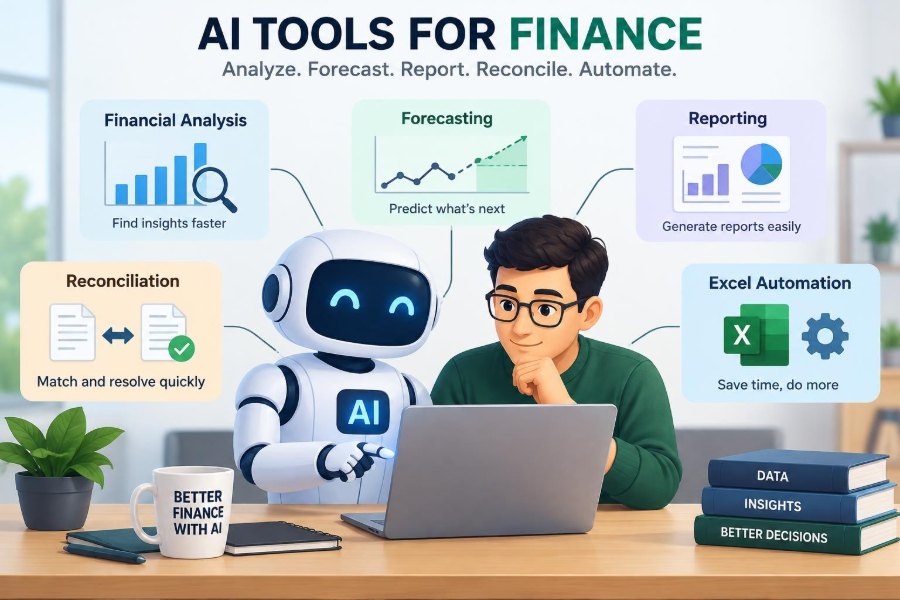
Useful AI tools reduce friction in financial analysis, forecasting, reporting, reconciliation, and Excel automation. They can speed up first drafts, surface exceptions, standardize repetitive steps, and make complex data easier to explore.
They do not remove the need for controls, domain knowledge, secure data handling, or professional skepticism. The strongest results come from pairing reliable data and explicit workflows with people who can ask the right questions and challenge a convenient answer.
Use AI to make finance work more reviewable and insightful—not merely faster.
Start with one controlled problem, test the output against trusted evidence, and improve the process before scaling it. That approach builds capability without sacrificing the discipline that makes financial information useful. 💰📊🤖